Help
How the photo, the sign styles, the free picture and the plans work.
Taking the storefront photo
The picture is made on your own photo, so the photo decides most of the result.
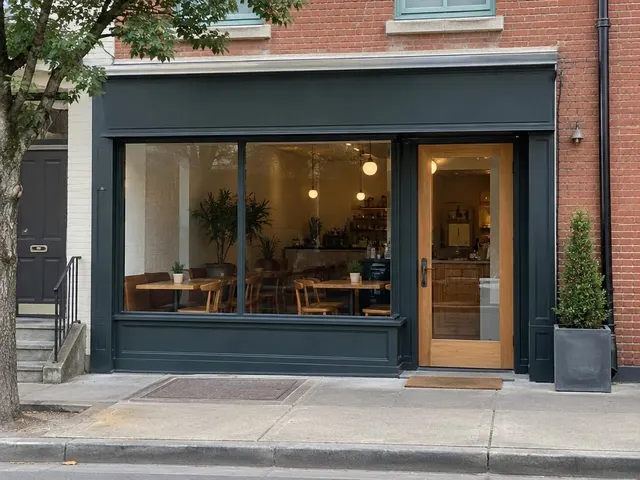
Do: Daylight, straight-on, the whole front in frame. 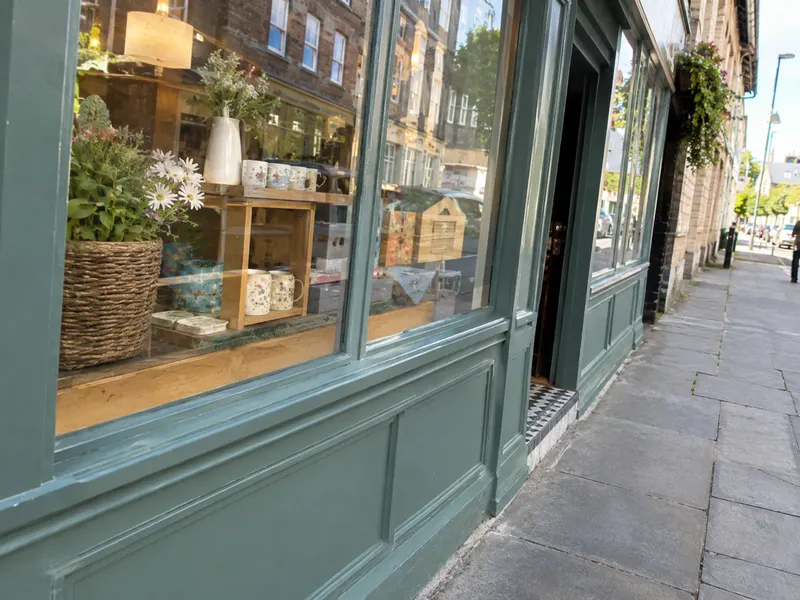
Avoid: A steep angle: the fascia is hard to read and can fail. 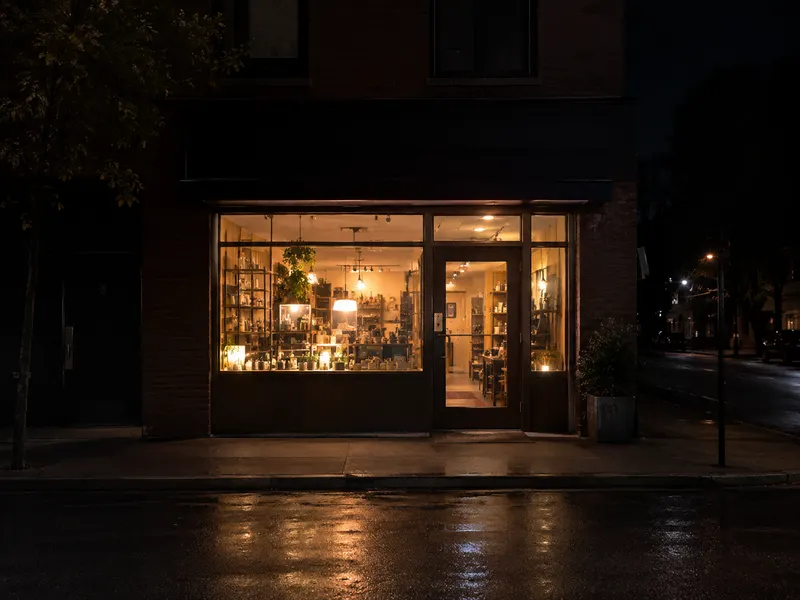
Avoid: At night: take the daylight photo; the night view comes later.
- Take it in daylight. A night view comes later, from the daylight picture.
- Stand across the street and face the shop as straight-on as you can. A steep angle can fail.
- Keep the whole front in the frame: the fascia, the windows and the door.
- A photo you already have works too: HEIC, JPEG, PNG or WebP.
Your browser converts the photo before it is sent: it removes the location and other details stored in the file, and scales it to the size the image model takes. A photo more than three times as wide as it is tall (or the reverse) can’t be sent; crop it first.
Sign styles and placements
Pick one style for the sign:
Or set the materials yourself: material, colour, typeface, letter material, and whether the letters are raised, flush or recessed.
Then pick where it goes: fascia, window, awning, wall. The fascia is the band above the windows and the door. Placement is needed for every style.
Auto style
Auto style reads a photo of your store’s interior, or any reference photo whose look you like, and proposes a sign style: material, colour, typeface, letter material and how the letters sit, with a one-line description of the look.
Accept it, or adjust it by hand. It proposes a style; it does not know your brand, and the proposal may not match your store. Before your free picture, trying auto style is free, up to a limit. If no style comes back, try another photo, or pick a preset.
The night view
Once you have a daylight picture, Night view makes the same sign lit at night, on the same photo, from the same choices. It needs a plan. Lit styles such as channel letters, neon and lightboxes change the most.
What the free picture includes
Your first daylight picture is free, without signing up: one storefront photo and one style, which can be a preset, your own materials, or an auto style. Changing the photo, the words or the style before it is made costs nothing.
You can compare, download and share the free picture like any other, with no watermark. One free picture is available per account, and one per network every 24 hours.
Plans and cancelling
After the free picture, every further picture needs a plan: weekly $7.99, monthly $17.99 or yearly $39.99. A plan covers further pictures while it is active: another style, different words, another placement, a new photo, a new auto style and night views. There are no credits and no trial.
To buy a plan you sign up first, so the plan stays with your account. Change plans in Settings › Plan; manage your card, invoices and cancelling in Manage billing. A cancelled plan runs to the end of the paid period. See pricing.
The download is a preview
Download gives you one JPEG of the picture, with a file name that says it is a preview, for example blue-door-cafe-sign-preview.jpg. The file carries no location or camera details.
It is a preview to show your sign maker: this is the sign I want. It is not a photo of an installed sign, not a shop drawing, and not to scale. The letters may not come out exactly as typed; check them, and report a picture if something is wrong. Sizes, materials, permits and fabrication are your sign maker’s job.
When a picture fails or looks wrong
If no picture comes back, nothing is used: try again. If the image model refuses a photo, try another photo or other words. If a picture has wrong letters or changed the building, use Report on that picture; our team looks at every report.
Still stuck? Contact support.
Still stuck?
Contact support